How to stop checking social media automatically
Automatic social media checking is not always the same as deciding to spend time on social media.
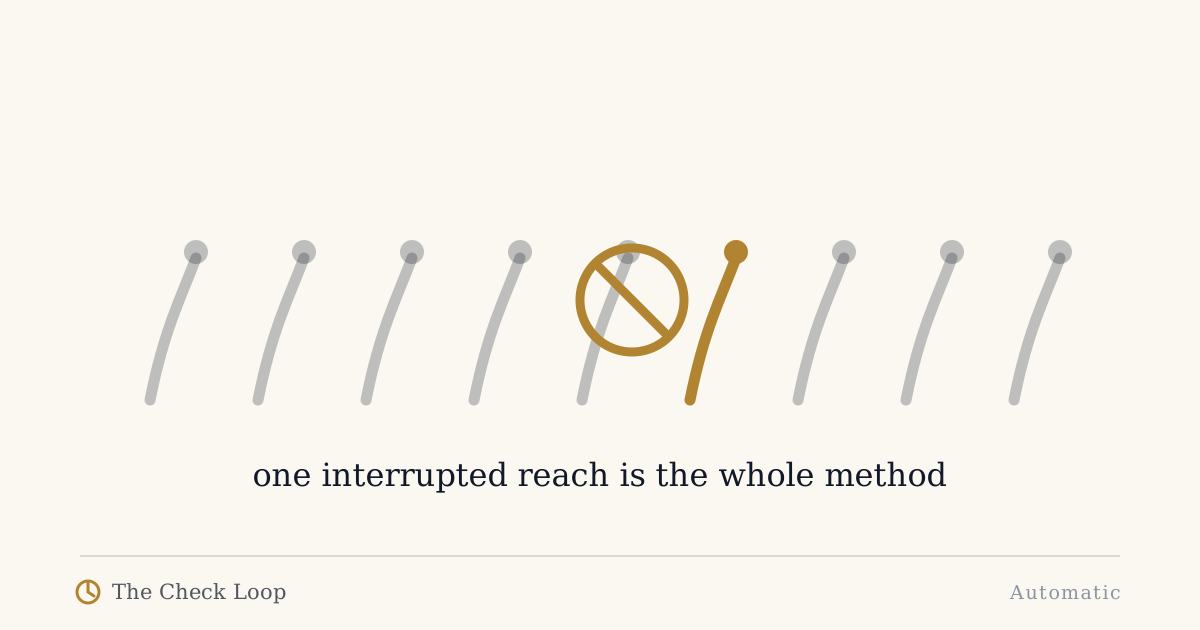
Automatic social media checking is not always the same as deciding to spend time on social media.
You can enjoy an app, use it deliberately, and still dislike the way it appears in every small gap of the day.
That distinction matters.
The problem may not be "I use Instagram" or "I use Reddit".
It may be:
I open it before I have decided what I want from it.
Research on spontaneous smartphone checking gives this behavior a useful non-clinical frame. A check can begin without an external alert and without a specific conscious goal.
The Check Loop describes the practical sequence as:
Cue -> Reach -> Drift -> Repeat
Checking is different from a chosen social session
Suppose you decide at 8 p.m. to spend twenty minutes catching up on social media.
That is a chosen session.
Now compare it with opening the same app:
- while waiting for coffee,
- after reading one difficult email,
- during a build,
- in the lift,
- after a notification from a different app,
- in the middle of a conversation pause.
The total time may be smaller, but the use is more fragmented and less deliberate.
If your goal is intentional phone use, those micro-checks are worth targeting separately.
Find the cue behind the check
For two days, record the moment before social media opens.
Use simple labels:
- boredom,
- waiting,
- task difficulty,
- notification,
- conversation pause,
- emotional discomfort,
- habit after unlocking,
- no cue noticed.
You are not trying to prove that social media is bad.
You are trying to find out what job the automatic check is doing in your day.
If most checks happen during task difficulty, the intervention should not look the same as a notification-driven pattern.
Remove vague invitations
A direct message from a person is specific.
A red badge with "14" is vague.
A generic "something happened" notification is vague.
Vague cues create checking because the only way to resolve the uncertainty is to open the app.
Keep the interruptions you actually value.
Remove the ones that exist mainly to pull you back into the app.
Experimental research has found that phone notifications can disrupt attention even when the device is not directly used. That does not mean all notifications are harmful. It means interruption rights should be treated as a scarce resource.
Make social apps deliberate to enter
You do not necessarily need a hard blocker.
Try one step of friction:
- move the icon off the first home screen,
- require search,
- use an app delay,
- log out of one service,
- use the browser for casual access,
- keep the phone farther away in one high-check context.
If you notice yourself deliberately overcoming the friction because you really want the app, that is not failure.
The friction did its job: it turned an automatic action into a visible choice.
Separate communication from feed consumption
One of the hardest design problems is that social apps combine direct human communication with open-ended content.
You may need the first and want less of the second.
Where the platform allows it, use narrower entry paths:
- direct message notifications from people you care about,
- bookmarks to specific pages,
- search for the intended destination,
- desktop for posting or community moderation,
- browser rather than app for a feed you want to make less convenient.
Do not pretend these separations are perfect. Many platforms deliberately combine functions.
The goal is to reduce accidental feed exposure, not create an imaginary clean-room internet.
Stop after the reason ends
Automatic social checking can begin intentionally too.
You open Instagram to answer a message.
The message ends.
Then you tap the feed.
That is Lost Intention.
The simplest exit rule is:
After the intended task, lock before continuing.
If you want the feed, unlock and choose it.
That tiny boundary converts "I was already there" into a fresh decision.
Do not make every quiet moment a social-media cue
Boredom is a particularly common trigger.
If your brain learns that every pause predicts social media, the phone becomes the default response to micro-boredom.
Choose a few contexts where you will not answer boredom with a social check.
For example:
- lift,
- queue under two minutes,
- waiting for a build,
- walking from desk to kitchen,
- first five minutes after waking.
You do not need to remove social media from the day.
You are breaking a few cue-response pairs.
Use windows only if they help you
Some people like scheduled social-media windows.
Others hate them.
The idea can still be useful because it creates a contrast between chosen access and default access.
You might decide:
- social apps are freely available after lunch,
- but not during deep work,
- or you browse in the evening,
- but messaging remains available throughout the day.
This is not a universal prescription.
It is one way to make the context explicit.
What if you keep overriding every intervention?
That is data.
Ask why.
If the intervention blocks legitimate communication, redesign it.
If the friction is too easy to dismiss, change its form.
If you override because the app is genuinely what you choose in that moment, then perhaps the goal itself is wrong.
A good system should reflect your actual priorities, not an internet ideal of digital minimalism.
A seven-day experiment
Choose one app and one context where checking is most automatic.
For seven days:
- remove nonessential cues,
- add one step before entry,
- name the purpose before opening,
- lock after the intended task,
- put the phone back in a fixed place.
At the end, ask:
- Did the number of automatic entries fall?
- Did deliberate use still feel available?
- Did I simply migrate the checking to another app?
- Which cue was most common?
That last answer should determine what you test next.
Social media can remain in your life without owning every pause
The goal is not to prove you can live without a feed.
It is to stop the feed from becoming the automatic answer to boredom, uncertainty, or a two-minute gap.
Use it when you choose it.
Leave when the reason ends.
Make the next check earn a new decision.
Continue
- How to Stop Doomscrolling Without Deleting Social Media
- Why Do I Keep Checking My Phone for No Reason?
- Lost Intention
- Phone Friction
The book shows how to map one social-media loop without banning every useful function on the device.
Sources
- Berntsen, D., et al. (2023). Digital daydreaming: Introducing the spontaneous smartphone checking scale. https://doi.org/10.1002/acp.4034
- Stothart, C., Mitchum, A., & Yehnert, C. (2015). The attentional cost of receiving a cell phone notification. https://doi.org/10.1037/xhp0000100
- Lyngs, U., et al. (2022). The Goldilocks level of support. https://doi.org/10.1016/j.ijhcs.2022.102869
The Check Loop
The Check Loop is a field manual for noticing automatic phone use, adding useful friction, and keeping the smartphone you actually need.