Phone friction: how to make automatic checking slightly harder
Phone friction is any small obstacle that turns an automatic action back into a decision.
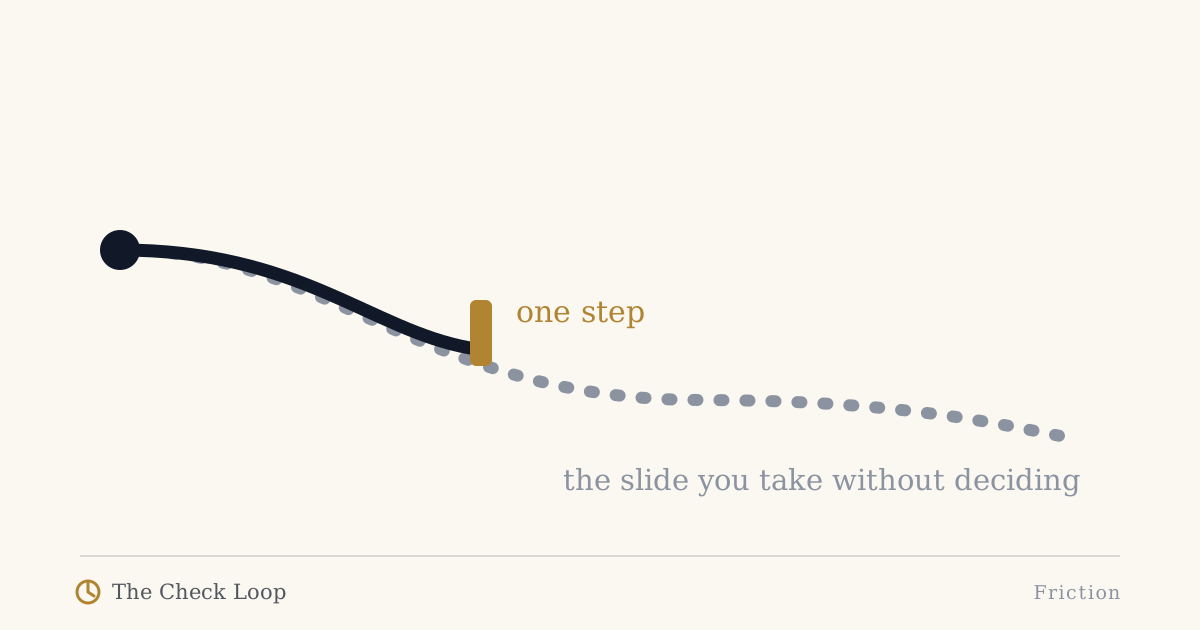
Phone friction is any small obstacle that turns an automatic action back into a decision.
The word small matters.
If using your phone becomes so inconvenient that you cannot do legitimate things quickly, you will probably remove the restriction. If the intervention is so weak that you pass through it without noticing, it changes nothing.
The useful zone sits between those extremes.
In The Check Loop, I use friction differently depending on where the problem occurs:
Cue friction -> Reach friction -> Entry friction -> Stopping friction -> Repeat friction
That is more useful than treating "friction" as a synonym for "block the app".
Friction is not a punishment
A lot of advice about phones is framed as self-denial.
Make the screen ugly. Lock everything. Delete every social app. Put the device in a box. Make access miserable.
Those approaches can work for some people and some goals. But they can also collide with the reason smartphones are difficult to abandon: they remain genuinely useful.
Research on digital self-control tools reflects this tension. Lyngs and colleagues analyzed reviews and usage signals across hundreds of tools and found that people valued support that was strong enough to help without feeling excessively coercive. Users also wanted interventions that matched their own definition of distraction.
So good friction should answer two questions:
- Which behavior am I trying to interrupt?
- Which useful behavior must remain easy?
If you cannot answer both, the intervention is probably too generic.
Cue friction: reduce unnecessary invitations
Cue friction happens before you touch the phone.
Examples:
- disable nonessential notifications,
- remove badges that exist only to create urgency,
- keep the phone out of your visual field during one high-focus context,
- stop placing it on the dinner table,
- avoid using a charging location that puts the device beside your pillow.
This type of friction is less about making the phone difficult to use and more about reducing how often the environment asks you to decide.
Notifications are a legitimate target here. Experimental work has shown that notifications can disrupt an attention-demanding task even when the person does not interact with the phone.
But cue friction should not stop at notifications. Automatic checks can happen without any alert at all.
Reach friction: make the reflex slightly less convenient
Reach friction changes the physical path from impulse to device.
Examples:
- one arm's length farther away,
- inside a drawer during focused work,
- behind the laptop instead of beside the trackpad,
- a fixed shelf during meals,
- outside the bathroom,
- across the room at bedtime if that still works for your alarm setup.
The point is not distance for its own sake.
The point is to make the reach visible.
When a phone is already in your hand, there is no decision boundary left to create.
A small physical movement can be enough to turn "I am already doing it" into "Do I actually want to do this?"
Entry friction: interrupt the app-opening reflex
This is the type of friction most digital-wellbeing products emphasize.
Examples:
- remove the app icon from the first home screen,
- require search,
- add a short delay,
- use a blocker for specific windows,
- log out,
- remove saved credentials where the inconvenience is acceptable,
- use the browser rather than the app for one service.
Entry friction can be effective when opening the app is the unwanted behavior.
But it is poorly targeted when you need the app frequently for legitimate purposes.
That is where stopping friction becomes important.
Stopping friction: make continuing less automatic
This is the part most discussions of friction miss.
Imagine you open WhatsApp to reply to someone.
You complete the reply.
You are still holding an unlocked phone.
The next app is one tap away.
The problem was not entry. Entry was correct.
The problem is that continuing has no boundary.
I call that transition Lost Intention.
Stopping friction can include:
- lock the phone after the intended task,
- return it to its physical place before starting another activity,
- use direct links or search to reach a task instead of entering through an open-ended feed,
- add a reminder at the end of a repeated task,
- ask, "Would I unlock the phone specifically for what I am doing now?"
This is not about making the phone impossible to continue using.
It makes continued use a second decision.
Repeat friction: reset the environment after the session
A phone session does not end when the app closes.
It ends when the environment is ready for what happens next.
If you put the phone face-up beside your keyboard, keep every badge visible, and leave a high-drift app on screen, you have prepared the next check.
Repeat friction changes the reset:
- put the phone back in its place,
- return to a neutral screen,
- clear unnecessary alerts,
- close the open-ended app,
- put the device out of sight during the next work block.
This stage matters because the Check Loop is a loop. A good intervention should make the next iteration less automatic too.
Why more friction is not always better
Suppose you put a five-minute block in front of a messaging app you need for work.
You will probably override it.
After enough overrides, the intervention itself becomes automatic.
This is a common failure mode: the system teaches you to dismiss the system.
Research reviews of digital self-control tools show that effectiveness varies across intervention types and contexts. The evidence does not support the lazy conclusion that all blockers work or that none do.
A better principle is:
Use the least friction that reliably creates the decision you want.
For one app, that might be removing an icon.
For another, it might be a hard block during two hours of deep work.
For a third, no entry friction is appropriate at all. You may only need a better exit.
Physical friction versus software friction
Software interventions are attractive because they feel configurable and measurable.
But physical friction has advantages:
- it does not depend on OS permissions,
- it is harder to dismiss with a button,
- it can be tied to a specific context,
- it does not need another app to manage your apps.
Software friction has different strengths:
- time-based rules,
- app-specific rules,
- Focus modes,
- delays,
- usage feedback,
- automated context switching.
Use both if the problem justifies it.
For example:
Coding: phone behind laptop + notifications silenced + authentication still allowed.
Bedtime: charger away from pillow + open-ended apps delayed after a chosen hour.
Family dinner: phone parking place + emergency callers allowed through.
The environment should reflect the context.
A seven-day friction test
Pick one repeated loop.
Then test only one change.
Record the baseline
What cue starts the behavior?
What does the reach look like?
Where does drift begin?
What resets the loop?
Add one friction point
Choose the earliest stage where a small change seems plausible.
Keep it for a week
Do not keep escalating because you slipped once.
Review three outcomes
- Did unwanted checks or drift become less frequent?
- Did legitimate use remain acceptable?
- Did you keep the intervention enabled without constant resentment?
If the answer to number three is no, the friction may be too strong or in the wrong place.
Friction is environment design, not a character test
There is no prize for making the desired behavior unnecessarily difficult and resisting anyway.
You use environment design in other parts of life without calling it weakness.
You put frequently used tools where they are easy to reach.
You put fragile things somewhere safer.
You silence notifications during meetings.
You use doors, passwords, checklists, reminders, and defaults to shape behavior.
Phone friction applies the same logic to attention.
Make deliberate use easy.
Make automatic use slightly less automatic.
That is enough.
Continue
- The Check Loop
- Why App Limits Don't Work for You
- How to Stop Automatic Phone Checking
- Lost Intention
The book includes the full friction audit and device-specific walkthroughs.
Sources
- Lyngs, U., et al. (2022). The Goldilocks level of support. https://doi.org/10.1016/j.ijhcs.2022.102869
- Monge Roffarello, A., & De Russis, L. (2023). Achieving Digital Wellbeing Through Digital Self-Control Tools: A Systematic Review and Meta-Analysis. https://doi.org/10.1145/3571810
- Biedermann, D., et al. (2021). Digital self-control interventions for distracting media multitasking - A systematic review. https://doi.org/10.1111/jcal.12581
- Stothart, C., Mitchum, A., & Yehnert, C. (2015). The attentional cost of receiving a cell phone notification. https://doi.org/10.1037/xhp0000100
The Check Loop
The Check Loop is a field manual for noticing automatic phone use, adding useful friction, and keeping the smartphone you actually need.