How to stop automatic phone checking without deleting everything
If your hand reaches for the phone before you have decided what you want from it, do not start by deleting half your life.
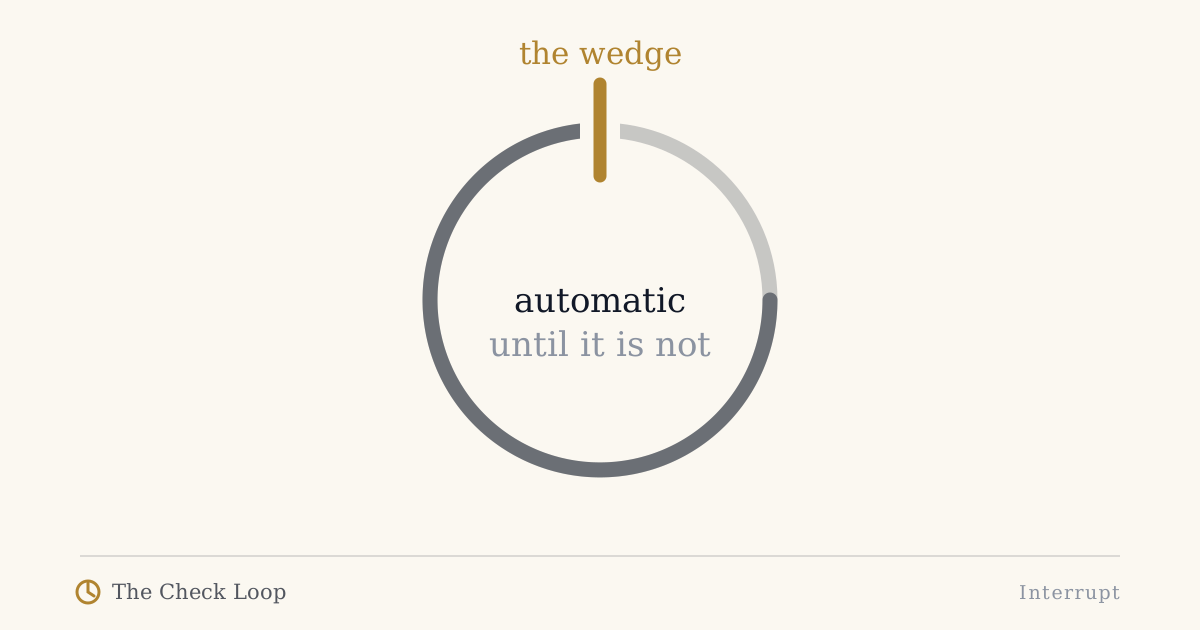
If your hand reaches for the phone before you have decided what you want from it, do not start by deleting half your life.
Start by finding where the automaticity enters the sequence.
The Check Loop uses four stages:
Cue -> Reach -> Drift -> Repeat
A good intervention changes the stage that is actually failing.
That sounds simple, but it prevents a common mistake: applying the same solution to every kind of phone problem.
A notification problem is not the same as a boredom problem. A reflexive unlock is not the same as a useful message reply that becomes twenty minutes of scrolling. A phone that interrupts coding is not the same as a phone that takes over bedtime.
The aim is not "less phone" as a moral achievement. The aim is more deliberate use.
Step 1: separate automatic checking from useful phone use
Before changing settings, list what your phone genuinely needs to do for you.
For example:
- calls,
- messaging,
- maps,
- banking,
- authentication,
- camera,
- calendar,
- music,
- work communication,
- travel,
- chosen entertainment.
This matters because an intervention you constantly fight is unlikely to survive.
Research on digital self-control tools repeatedly finds a tension between effectiveness and autonomy. Users want enough support to change behavior but not so much coercion that legitimate use becomes irritating.
So do not begin with "How do I make my phone unusable?"
Begin with:
Which phone actions do I want to stay easy, and which actions do I want to stop happening automatically?
Step 2: identify the cue
A cue can be external:
- notification,
- vibration,
- badge,
- phone lighting up,
- another person checking a phone.
Or internal:
- boredom,
- uncertainty,
- task difficulty,
- fatigue,
- loneliness,
- anticipation,
- the feeling of having a spare moment.
Research on spontaneous smartphone checking is useful because it explicitly recognizes phone-directed attention that occurs without an external prompt and without a specific conscious goal.
For two days, log only the moment before the reach.
Do not count total minutes yet.
Write:
context -> cue -> app opened
Examples:
build running -> waiting -> Reddit
partner pauses -> silence -> Instagram
email difficult -> discomfort -> news
phone vibrates -> alert -> WhatsApp
You are looking for repeated conditions.
Step 3: make the reach slightly less automatic
Once you know the cue, add the smallest useful amount of friction.
Physical friction is often underrated:
- put the phone one arm's length farther away,
- keep it behind the laptop rather than beside the keyboard,
- charge it outside the immediate bedtime reach,
- leave it outside the bathroom,
- use a fixed phone parking place at home.
Software friction can help too:
- remove a high-drift app from the first home screen,
- disable nonessential badges,
- require search to reach an app,
- use Focus or Do Not Disturb in a specific context,
- add an intentional delay before selected apps,
- log out where the inconvenience is acceptable.
The word slightly matters.
If the friction is too weak, automatic behavior passes through it.
If the friction is too strong, you may remove the system because it also blocks useful behavior.
Step 4: create an intention before unlocking
Use a short question:
What am I opening the phone to do?
Do not turn this into a mindfulness ceremony.
One sentence is enough:
- "Reply to Dan."
- "Check the gate."
- "Take a photo."
- "Read one saved article."
- "Ten minutes of Instagram because I choose it."
The last example is important. Intentional use can include entertainment.
The Check Loop is not a purity system.
The problem is not that you enjoyed an app. The problem is when the app selected itself.
Step 5: stop the drift after legitimate use
Many phone sessions begin correctly.
You open the phone to answer a message. That task finishes. Then you stay.
I call this Lost Intention.
If this is your main pattern, access friction alone can be badly targeted. You needed access.
Instead, add an exit:
- lock the phone immediately after the intended task,
- put it back in its physical place,
- avoid entering a messaging app through a feed-heavy home screen,
- ask, "Would I unlock the phone specifically for what I am doing now?"
If the answer is no, the original purpose probably ended.
Read: Lost Intention.
Step 6: change the repeat condition
The final stage is Repeat.
Even if one check is short, the environment can immediately prepare the next one.
Examples:
- the phone returns to the desk face-up,
- badges accumulate,
- every idle transition ends with the device in your hand,
- the last-used app is still visible when you wake the phone,
- a work break always begins with the same feed.
After a check, reset the environment.
Put the phone back.
Clear the physical cue.
Return to a neutral screen if that helps.
Silence the source that does not need to call you back in five minutes.
The repeat stage is where a single check becomes a day-long pattern.
Why willpower is a weak default strategy
Willpower can help in a moment. The problem is asking it to solve the same predictable problem hundreds of times.
If a cue repeatedly appears in the same environment, redesigning that environment is usually more practical than staging the same internal argument again.
That does not mean people have no agency. It means agency can be used earlier, when the environment is being configured.
You decide once where the phone lives during coding.
You decide once which notifications deserve interruption rights.
You decide once whether the most reflexive app belongs on the first screen.
Then the environment carries part of the load.
Do app blockers work?
Sometimes.
It would be inaccurate to say digital self-control tools never work. Systematic reviews and meta-analyses have found evidence that some interventions can reduce unwanted technology use, while also noting substantial variation in design, evidence quality, long-term evaluation, and user fit.
The practical question is not "Are blockers good or bad?"
It is:
Does this intervention act on the stage of my loop that needs help?
A blocker can be excellent if access itself is the problem.
It is less useful if the problem is what happens after a legitimate task, or if you override it every time because it blocks work you actually need to do.
A seven-day Check Loop experiment
Pick one context, not your whole phone.
Day 1-2: observe
Record Cue -> Reach -> Drift -> Repeat without changing anything.
Day 3: choose one friction point
Change one thing before the reach or immediately after the intended task.
Day 4-6: keep the same experiment
Do not add five more rules because you had one bad afternoon.
Day 7: review
Ask:
- Did automatic reaches decrease?
- Did useful phone use remain easy enough?
- Did I override the intervention?
- Did drift move somewhere else?
- Would I keep this setup for three months?
If not, redesign it.
A sustainable system is better than a severe one you disable on Tuesday.
What success looks like
Success is not never checking your phone.
Success can look like:
- fewer unlocks with no purpose,
- fewer work interruptions,
- more sessions that end when the task ends,
- social media opened because you chose it,
- useful apps remaining useful,
- less need to negotiate with yourself.
You are not trying to win against your phone.
You are trying to make your environment more likely to produce the behavior you already prefer.
That is how automatic checking becomes deliberate use.
Continue
- Why Do I Keep Checking My Phone for No Reason?
- The Check Loop
- Phone Friction
- Why App Limits Don't Work for You
For the full method and the seven-day field test, see The Check Loop book.
Sources
- Berntsen, D., Hoyle, R. H., Møller, D. M., & Rubin, D. C. (2023). Digital daydreaming: Introducing the spontaneous smartphone checking scale. https://doi.org/10.1002/acp.4034
- Monge Roffarello, A., & De Russis, L. (2023). Achieving Digital Wellbeing Through Digital Self-Control Tools: A Systematic Review and Meta-Analysis. https://doi.org/10.1145/3571810
- Lyngs, U., et al. (2022). The Goldilocks level of support. https://doi.org/10.1016/j.ijhcs.2022.102869
- Biedermann, D., et al. (2021). Digital self-control interventions for distracting media multitasking - A systematic review. https://doi.org/10.1111/jcal.12581
The Check Loop
The Check Loop is a field manual for noticing automatic phone use, adding useful friction, and keeping the smartphone you actually need.